

Deactivate product
Unlist your product from the marketplace if you're not longer offering it
If you entered a placeholder quantity for a product because you don't actively track inventory, you'll need to make sure you manually deactivate the product as soon as you notice it's sold out
-
In the admin portal, navigate to
Products > Listing -
Click the
⁝button of the product you want to deactivate -
Click
DISABLEand then clickCONFIRM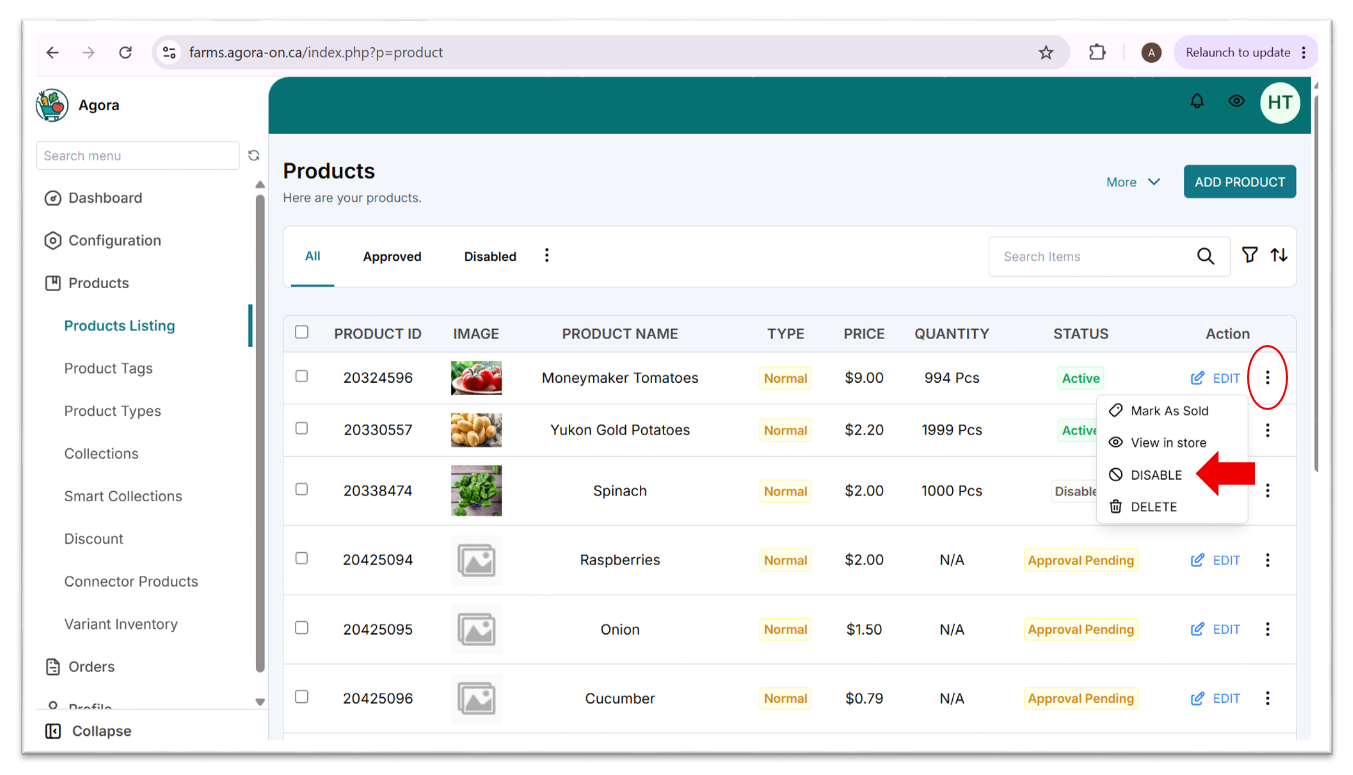
-
If you want to reactivate the product, click the
⁝button and then clickENABLE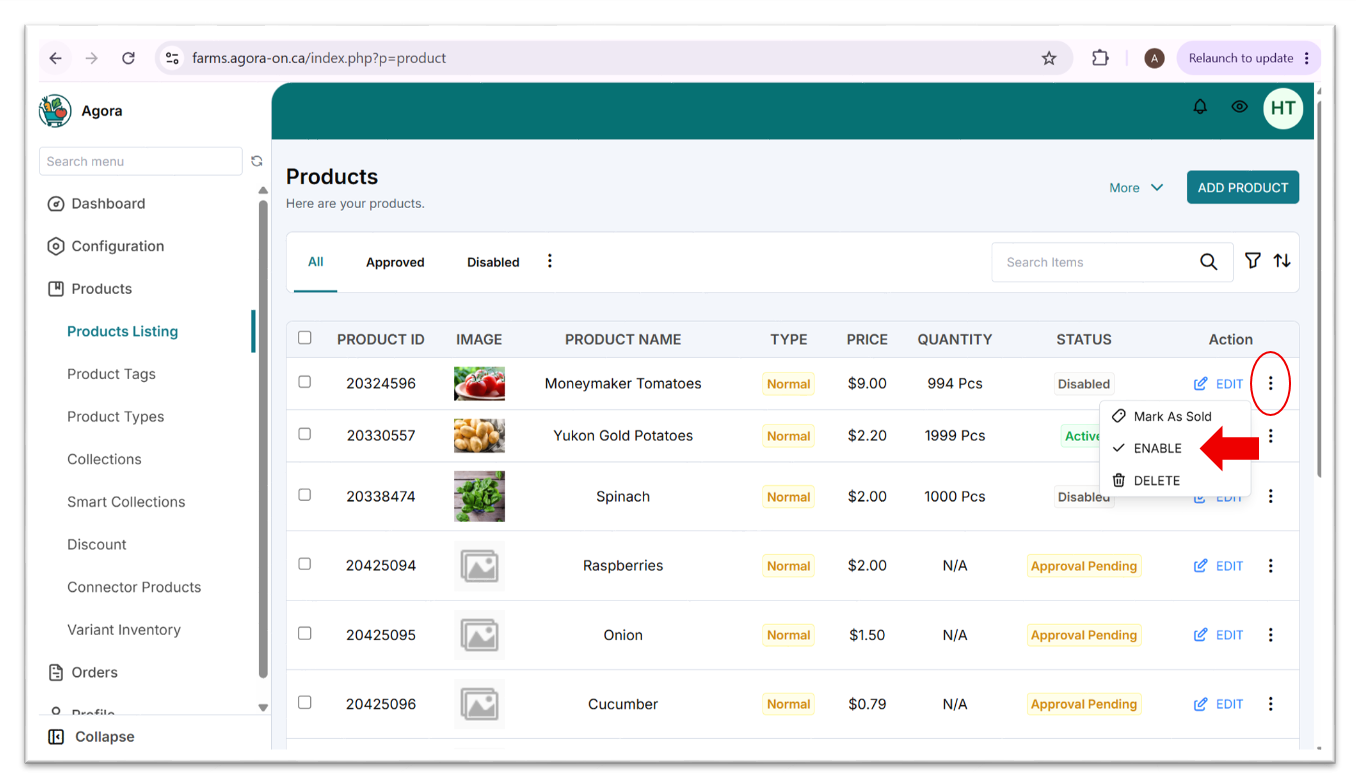
Updated 4 months ago
Did this page help you?