

Reject and cancel
Cancel any orders that can't be fulfilled so that the customer is notified and refunded
If items in the order are out of stock, cancel the order as soon as possible so that the customer is notified and receives a refund.
-
In the admin portal, navigate to
Orders > Orders Listing -
Click on the
VIEWbutton of the order you're cancelling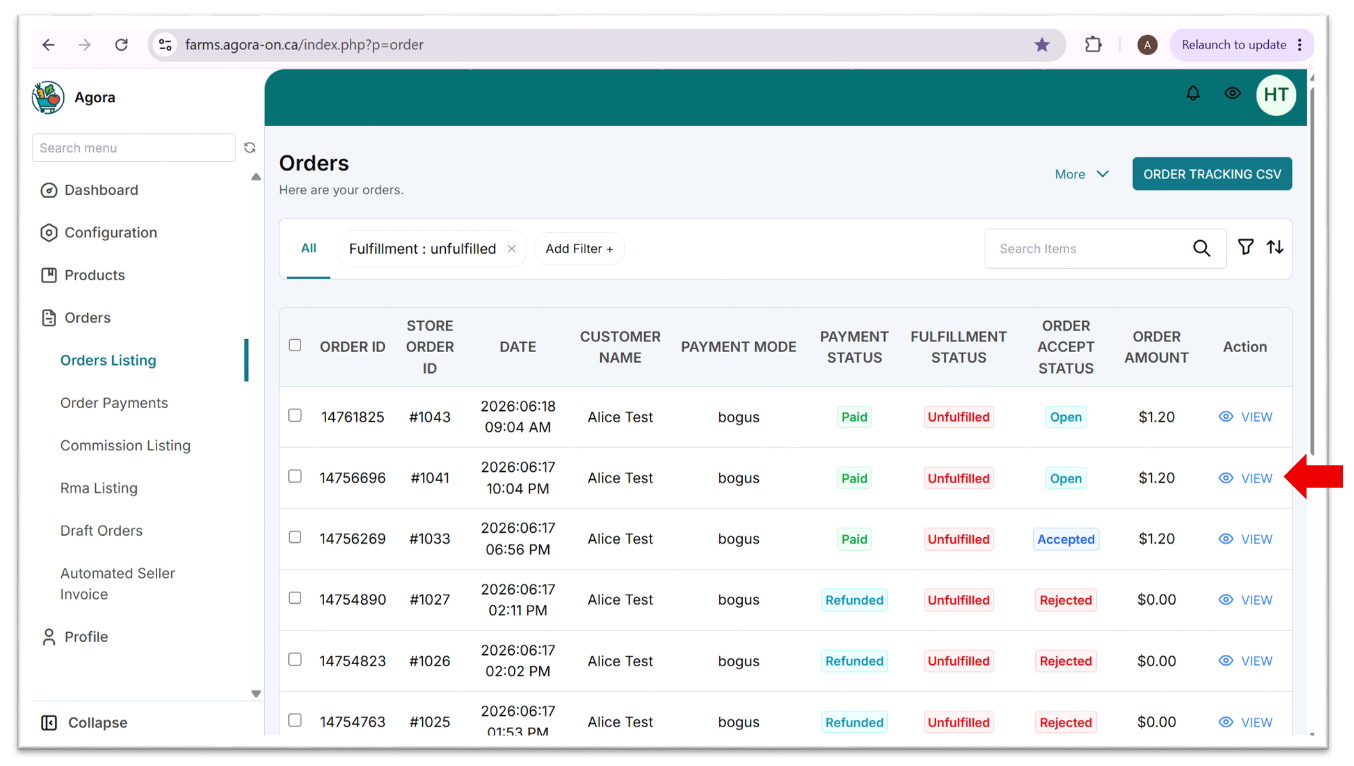
-
Click
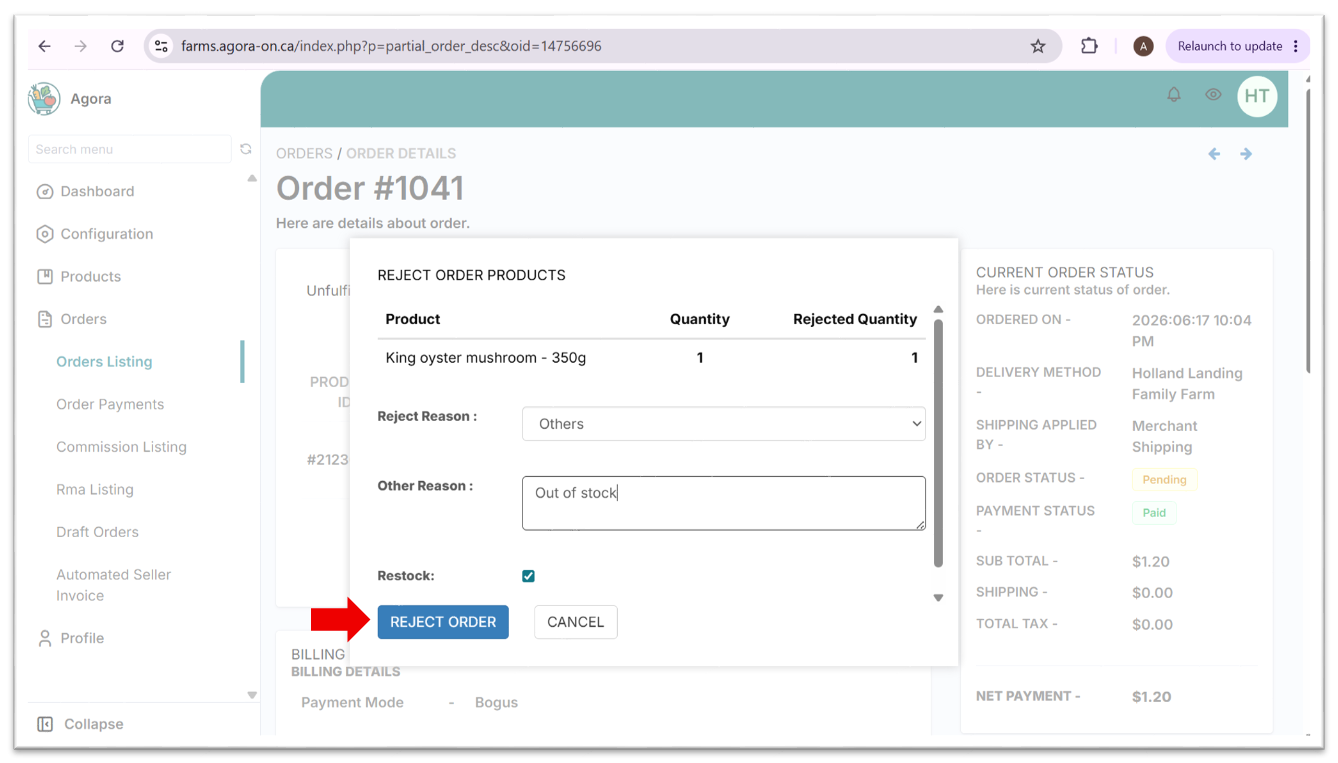
REJECTand then clickREJECT ORDER(you can optionally add a reason for internal tracking purposes - this will not be visible to the customer)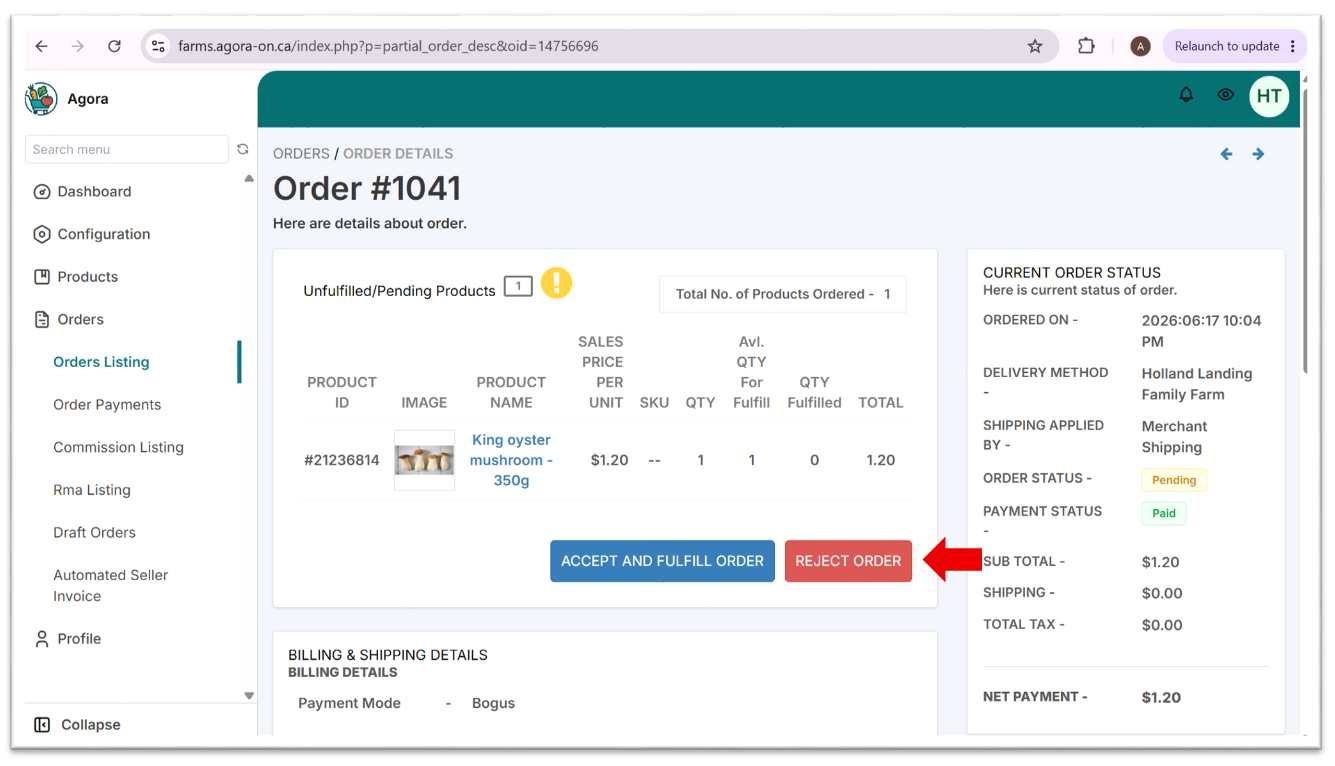
-
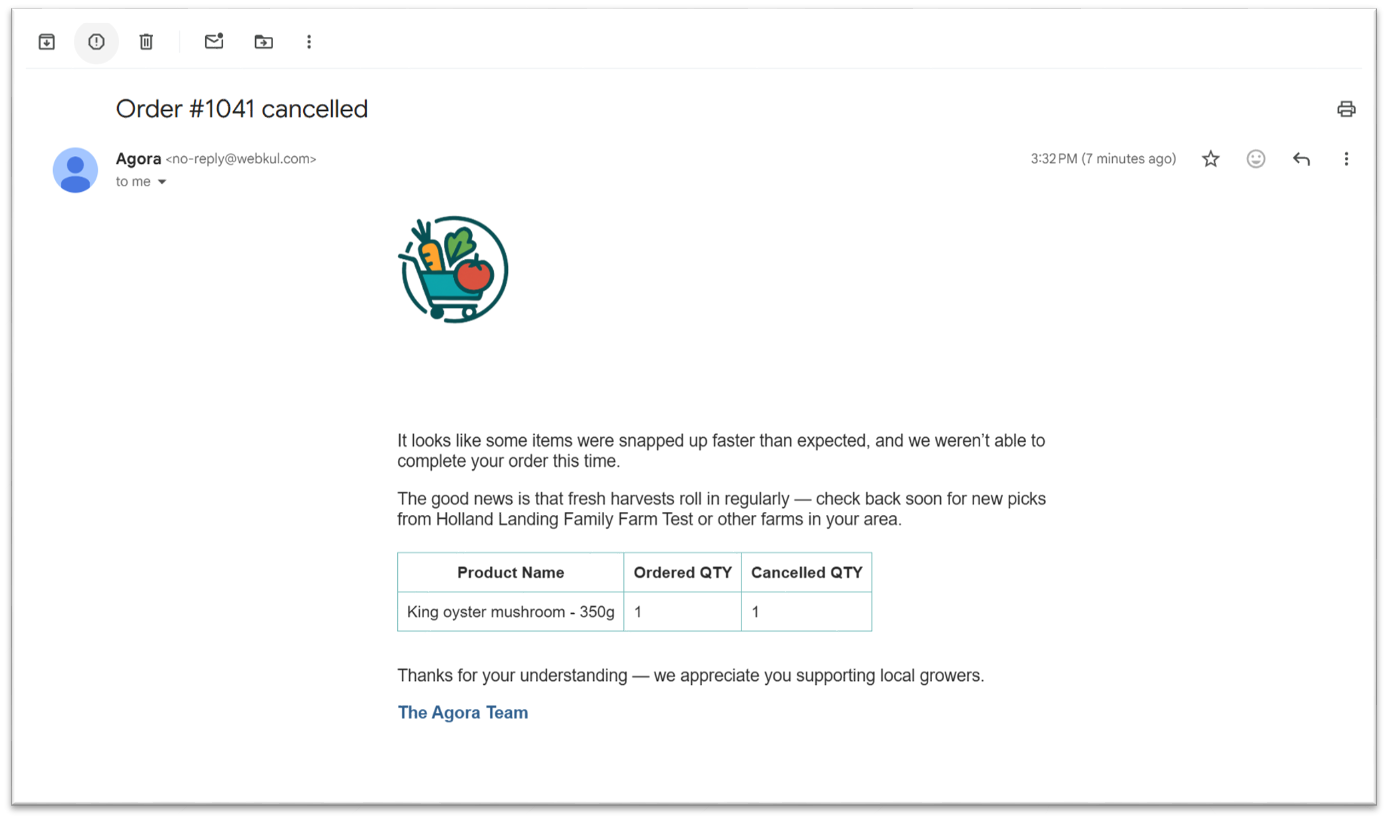
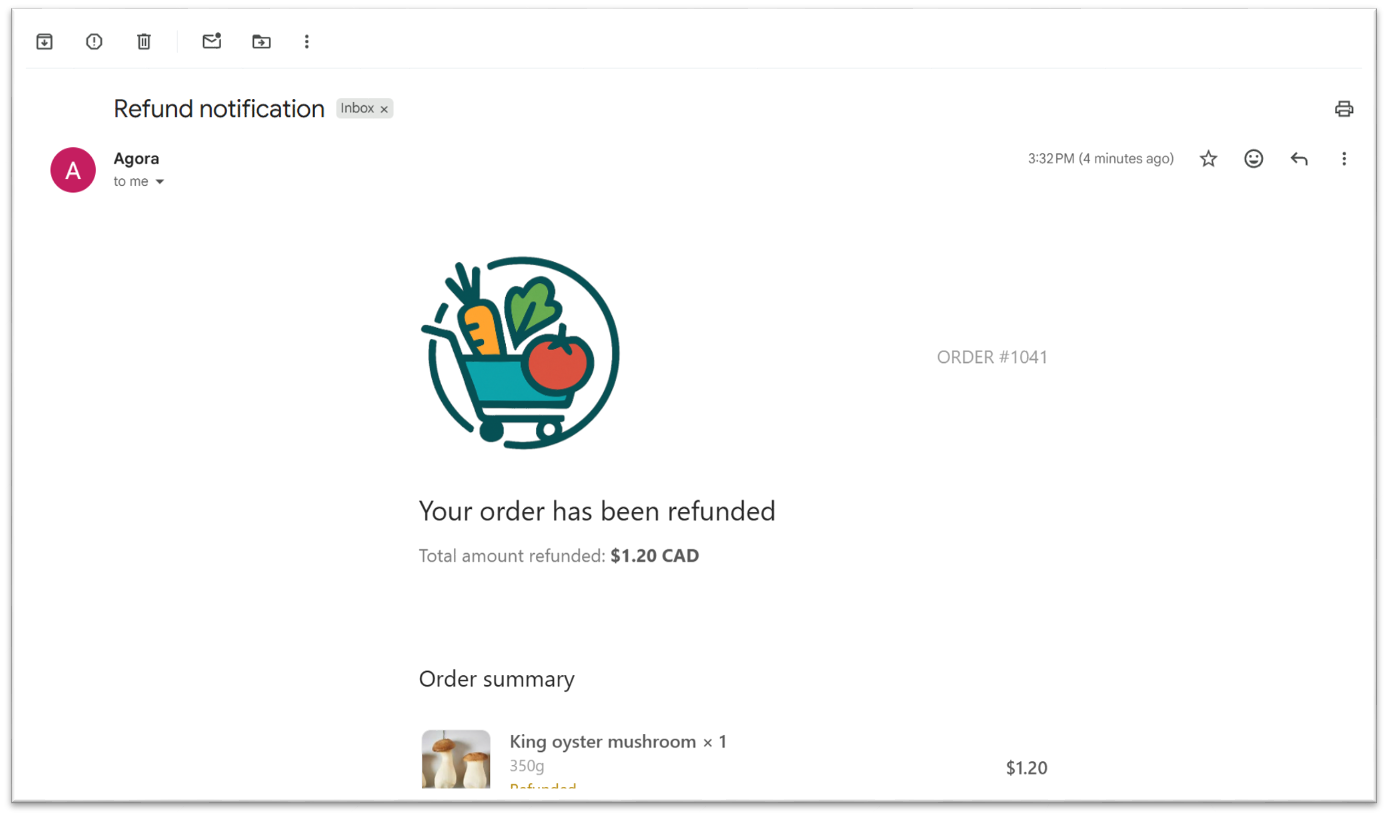
The customer will receive email notifications about their order cancellation and refund.
Updated 4 months ago
Did this page help you?