

Edit product
Update your product listing to reflect any changes customers should know about
You can see an example of how a product appears on the storefront here: Storefront > Product.
-
In the admin portal, navigate to
Products > Listing -
Click on the
EDITbutton of the product you want to update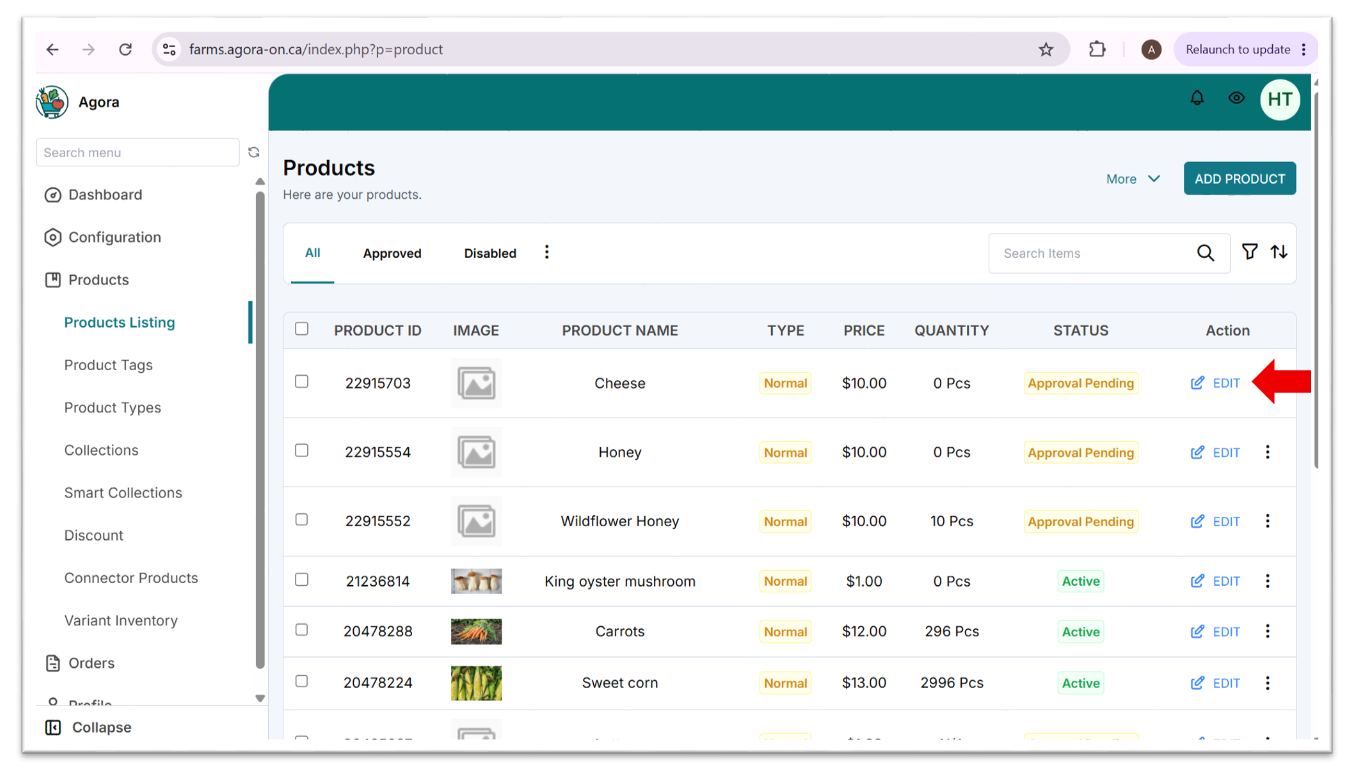
-
Edit the fields that require updating
-
If you want to sell different variants of this product (e.g., different varieties, colours, sizes, units), follow the steps for adding a variant
-
Click
SAVE CHANGES -
Go to the product's page in the storefront to make sure the details got updated correctly
Changes may take a couple minutes to update on the storefront product page.
Updated 4 months ago
Did this page help you?